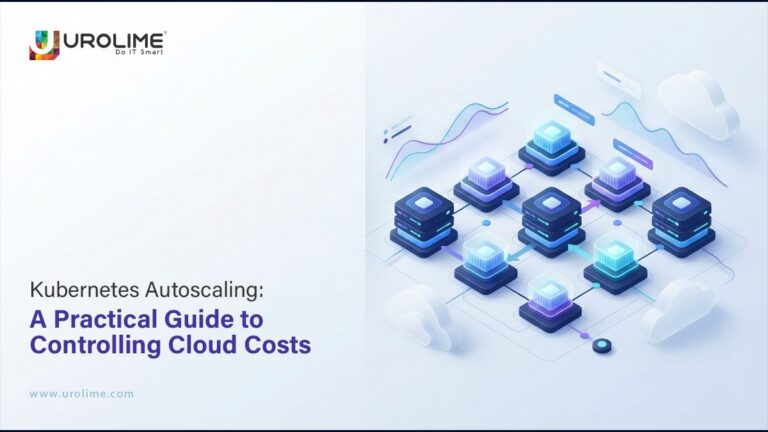
Cloud architecture is created in a way to be scalable. However, lack of controls leads to high scalability resulting in high cloud costs.
With Kubernetes, autoscaling may help in making sure that the infrastructure is scaled in line with real demand. In case of increased load, more resources may be created, and, conversely, in case of decreased demand, resources may be reduced without having to scale for peak capacity.
However, autoscaling may be costly. Incorrect scaling configuration may lead to unnecessary creation of Pods, oversized nodes and cloud wastage.
How Kubernetes Autoscaling Works
Kubernetes allows for scaling at various levels.
HPA (Horizontal Pod Autoscaler) scales the number of application Pods depending on such metrics as CPU, memory or custom application metric, whereas node autoscaling is scaling up and down of computing nodes depending on the workload capacity.
The relationship is the following:
Increased demand → More Pods → More nodes → Increased cloud usage
In case of decreased demand, Kubernetes may scale down all these resources. The issue is how to make sure that each level is scaled according to real demand.
How Autoscaling Makes Your Cloud Usage More Expensive
Now think of an application where your pods have been given much larger CPU and memory resources than required. With increased traffic, Kubernetes will spin up more Pods. Given that all Pods have a high requirement of resource capacity, too many nodes might be created than the application actually requires.
It’s as simple as:
Inefficient resource allocation = Increased Infrastructure = High costs
That is why the first step in Kubernetes cost optimization is always rightsizing before autoscaling.
Requests for resources should take into account how your application behaves during regular traffic and peak loads.
Scaling Based on the Right Metrics
CPU usage is a commonly used metric for autoscaling, however, not always the right choice.
In case of the app that deals with queues, low CPU usage doesn’t necessarily mean low demand and many messages can be waiting to be processed. In this case, queue depth might become the right metric to scale by.
Depending on the app, metrics to consider might be: request rate, latency, concurrent requests, transactions per second or queue depth.
The idea is quite simple:
Scale according to the metric that shows real demand rather than any convenient one.
Limit Autoscaling
Autoscaling should be controlled.
Appropriate minimum and maximum number of Pods should be set up depending on application requirements, expected traffic and capacity of the downstream system. The maximum limit is especially important since otherwise a traffic spike or inaccurate signal might lead to a sudden growth of resource consumption.
Limits for node-based autoscaling should also be considered.
Scaling downwards is just as important: otherwise, the organization keeps paying for resources it doesn’t use anymore.
Think About Scale to Zero
Not all workloads need to be running all the time.
There might be some batch jobs, event-driven applications, and background services that could scale down greatly—if not even to zero—when there’s nothing to do.
This will help save money spent on idle capacity.
But there will be latency during scale-up, which is why scale to zero isn’t always applicable to production workloads. This should be decided on technical grounds but also business-wise.
Bring Transparency to Autoscaling
Engineering looks at CPU, memory, Pods and latency, whereas Finance looks at cloud expenses.
But how they are related to each other sometimes falls into oblivion.
And yet, it is an important aspect of the mature Kubernetes environment to see which workloads cause you infrastructure costs and why.
If your cloud expenses go up, then you should figure out whether it was driven by increased demand, changing resource needs, autoscaling rules, unutilized nodes, or a new deployment.
This is the point where FinOps and Kubernetes meet.
How Kubernetes Consulting Adds Value
The more complex Kubernetes environments become, the harder it becomes to make optimal decisions regarding autoscaling.
In the context of multi-clusters, infrastructure sharing, and high availability needs, there is a need to have a wider perspective.
Kubernetes Consulting can assist companies in evaluating resource sizing, Pod and node autoscaling, usage of workloads, observability, and cloud costs as a single interconnected system.
A reputable Kubernetes services company will also think not only about the availability of clusters but will help to develop scalable infrastructure without uncontrolled spending.
For those organizations which use Kubernetes as a service, the managed infrastructure can be beneficial, however, it is important to understand the consumption of workloads for cost management.
The Goal: Intelligent Scaling
Autoscaling in Kubernetes does not mean running a minimum number of Pods or nodes.
With proper resource sizing, meaningful metrics, reasonable scaling limitations, and continuous tracking of costs, autoscaling can become a good cloud cost optimization approach.
Scale according to needs. And scale down when it is no longer needed.