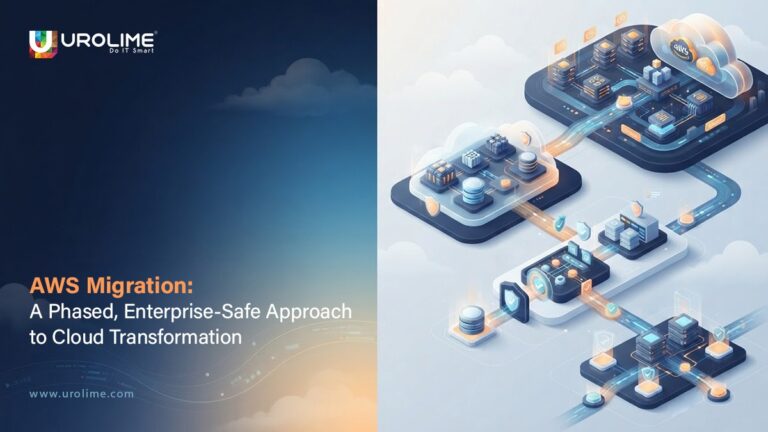
Moving to the cloud is rarely a question of – should we?. The harder question is how, and how to do it without disrupting the systems your customers as well as teams rely on every day basis. For most enterprises, the answer isn’t a dramatic overnight switch. It’s a steady, well-planned journey in phases.
This guide walks through the approach we see work best for AWS migration and what a safe move to the cloud actually looks like.
Why a Phased Migration Beats a Big-Bang Move
A single-weekend migration looks bold on a project plan. In practice, it only takes one forgotten dependency, say an old reporting tool quietly pulling data from a server nobody remembered, to turn a clean cutover into a crisis.
A phased approach spreads that risk. You move in small, controlled steps, learn from each one, and keep the ability to roll back. Your business keeps running, your teams build confidence, and surprises stay small. This is exactly why experienced AWS Consulting Companies recommend it for any organisation with business-critical systems.
Step 1: Start With Discovery, Not Servers
Before anything moves, you need an honest picture of what you have. That means listing every application, database and integration, then asking three simple questions: how important is it to the business, how tightly is it tied to other systems, and how sensitive is its data?
Once the inventory is clear, each workload gets a migration path. AWS describes these as the “7 Rs”:
- Rehost: move it as it is, the quickest route.
- Replatform: make small changes, such as moving to a managed database.
- Refactor: redesign the application- align it to be cloud-native.
- Repurchase: replace it – change it with a SaaS product.
- Relocate: shift VMware workloads to VMware Cloud on AWS.
- Retain: leave it where it is, for regulatory or technical reasons.
- Retire: switch it off. Many companies are surprised by how much of their estate falls here.
This stage is also where an honest conversation should happen about whether a particular workload needs to move at all. Good AWS Consulting Services will tell you when the answer is “not yet.”
Step 2: Build the Landing Zone First
Think of the landing zone as the foundation of a building. You wouldn’t move tenants in before the plumbing and wiring are done, and the same logic applies here.
A solid landing zone includes a well-structured AWS Organization, single sign-on through IAM Identity Center, guardrails that control which regions and services can be used, and central accounts for security, logging and networking. Cost reporting should be switched on from day one, so finance teams can see spend clearly rather than discovering it later. Everything should be defined as code, with tools such as Terraform, so environments are repeatable and auditable.
It’s not the exciting part of the project. It is, however, the part that keeps the exciting parts from going wrong.
Step 3: Plan Migration in Waves
Instead of moving everything together, workloads are grouped into waves, usually with the lowest risk first.
- A proving wave. A few non-critical applications go first. The purpose isn’t speed. It’s to test your tools, pipelines, security settings and cutover process in real conditions.
- Volume waves. Once the process works, larger groups of simple, well-understood systems follow.
- Critical-path waves. Revenue-generating systems move last, with parallel runs, extra testing and short rollback windows.
- Modernisation. Applications being redesigned usually take longer. That’s fine, and they shouldn’t hold up the rest.
Skipping the proving wave is one of the most common mistakes. It doesn’t save time. It just moves the problems into a more expensive moment.
Step 4: Connect and Move Your Data Carefully
During migration, your old environment and AWS have to work together, sometimes for months. A secure VPN is enough to begin with, while AWS Direct Connect gives a more stable, dedicated link once large volumes of data start moving. Plan IP ranges early to avoid conflicts, also make sure that the DNS works across both environments.
For data, AWS offer tools that are reliable. AWS DataSync handles file transfers, along with AWS Database Migration Service that keeps databases continuously in sync- while the old system stays live. The golden rule: never assume the copy is correct. Validate row counts and checksums before switching anything over.
Step 5: Cut Over Gradually and Keep a Way Back
A good cutover is boring. Traffic is shifted to AWS in small increments, perhaps 5 percent, then 25, then 50, then all of it, with monitoring at every step. The original environment stays available for a short period so you can reverse course quickly if something looks wrong. Only when everything is stable do you decommission it.
Databases need extra care. A brief pause in writes during the final sync is normal and should be communicated to the business in advance.
Step 6: Optimise After You Land
Migration isn’t the finish line. In the first few months, review costs, right-size resources and commit to Savings Plans once usage patterns are clear. Choose your monitoring approach, whether CloudWatch, a commercial APM tool or OpenTelemetry, deliberately rather than by default. Set up regular architecture reviews so the platform keeps improving.
Mistakes That Quietly Derail Migrations
- Underestimating identity and access. Old permission models are often woven into application logic. Give IAM its own workstream.
- Ignoring data transfer costs. Moving large volumes out of a data centre can be expensive. Check the numbers early.
- Going straight to production. Separate development, staging and production environments protect you from long, painful outages.
- Leaving out skills. If your team is new to AWS, training is part of the budget, not an extra.
Choosing the Right Partner
A migration of this size is as much about people and process as technology. The best AWS Consulting Companies bring more than certifications. They bring pattern recognition, having seen what goes wrong and how to prevent it.
When comparing AWS Consulting Services, look for clear communication in plain language, a proven record with organisations of your size, and a willingness to transfer knowledge to your team rather than create dependency. Strong AWS Consulting should leave you more capable at the end of the project than at the start.
Final Thoughts
A successful AWS migration is phased, reversible and built on a strong foundation. The technology is well documented. What makes the difference is sequencing, judgement and keeping your business running smoothly throughout. Take it one wave at a time, and the cloud becomes a steady step forward rather than a leap of faith.
Planning an AWS migration? Speak to our team about a phased roadmap tailored to your business.